

Using Consent Pro
This documentation explains how to set up, customize, and manage Consent Pro in Webflow, including integrations, translations, and best practices.
Consent Pro is designed to help with data privacy compliance related to user consent for cookies and website tracking. However, full compliance with applicable data protection laws also depends on factors such as server locations and data processing practices, which remain your responsibility. This tool does not provide legal services. For specific compliance requirements, please consult a lawyer.
❌ Don'ts
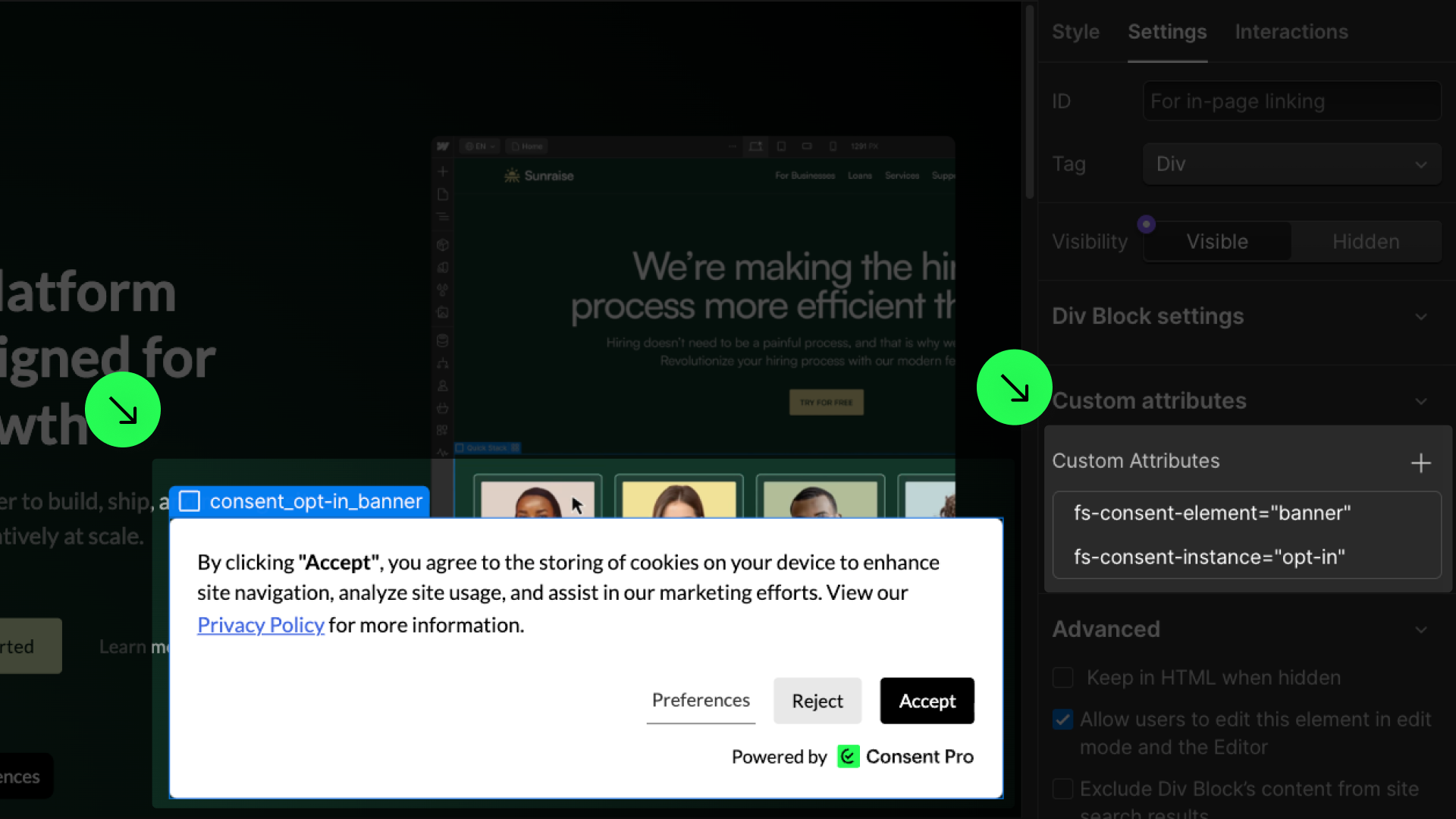
Do not remove the attributes.
They are required to make the Consent Pro solution work.
Do not remove the attributes added to generated elements. If they are removed, the Consent Pro banners will stop working.
Do not move elements outside the consent wrapper.
To keep the banner functionality, keep all elements of the Consent Pro component inside the consent_component element that wraps all Consent Pro banners and elements.
.png)
Style it your way
As Consent Pro is built natively in Webflow, all the generated elements and components are ready to be styled in the Webflow canvas. Feel free to create fully custom consent banners and deliver a better experience to your users.
Style banners & preferences
Use the Webflow Style panel to customize your banners, Open Preferences button, and Preferences panel as needed. You can style them just like any other element in Webflow. You can also change the order of the elements, as long as they remain inside the component wrapper.
.png)
Style placeholders
To style the placeholder that appears when content such as maps, videos, or embedded elements is blocked, go to the consent component generated with the banners and select consent_placeholder. You can style the placeholder as you prefer and add extra elements inside it if needed.
The placeholder is displayed when the page loads and is removed once the user accepts cookies using the Opt-in banner. For the Opt-out and Do Not Sell banners, it loads as hidden and will be shown if the user rejects cookies.
.png)
Style active & focused states
Some elements require active states to differentiate when they are clicked. To give you full control over the styles, we created some custom combo classes such as is-active and is-focused on certain elements.
Remove temporarily the is-active class to style the before-clicked state, and add the is-active class to style the after-clicked state.
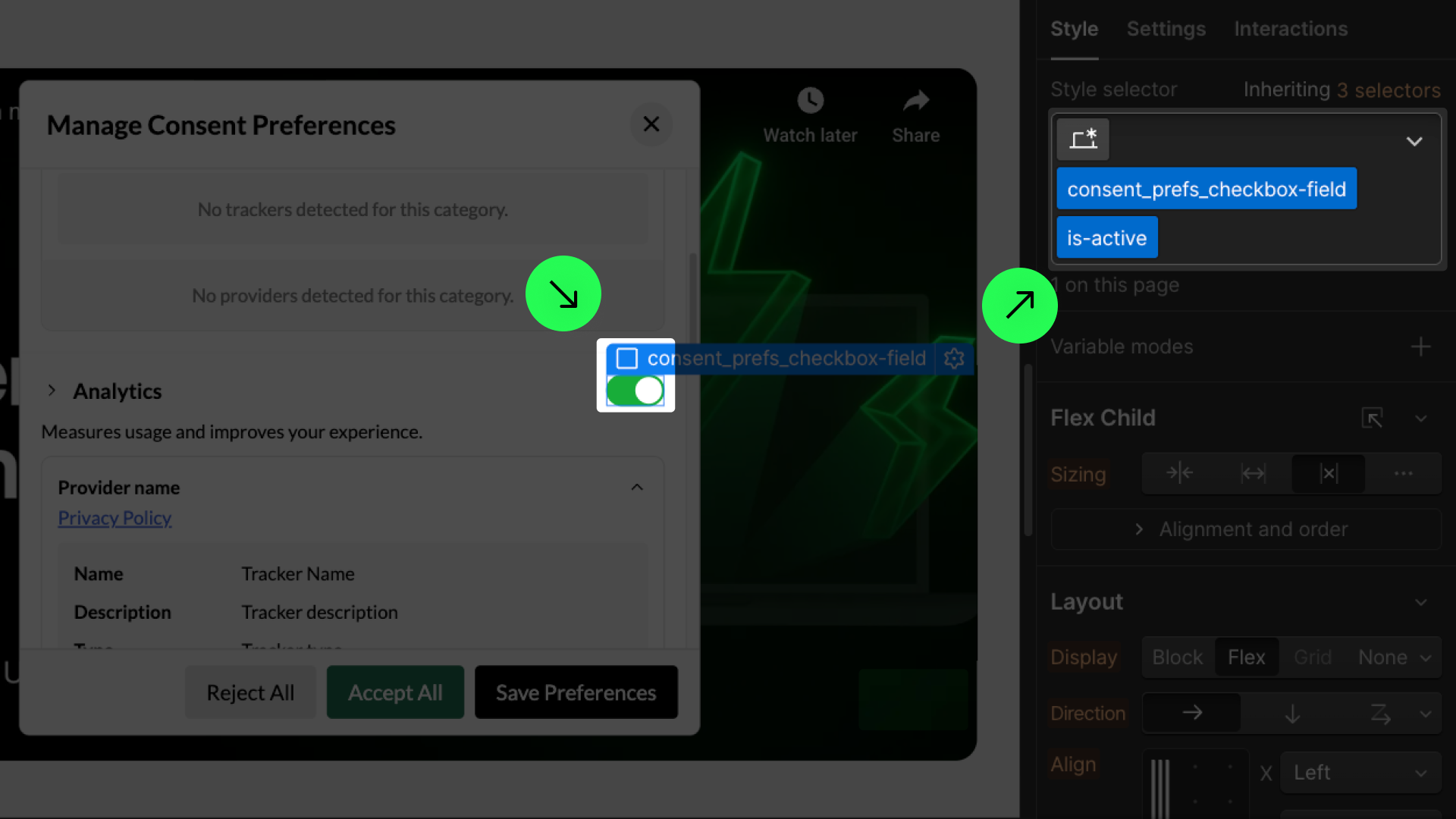
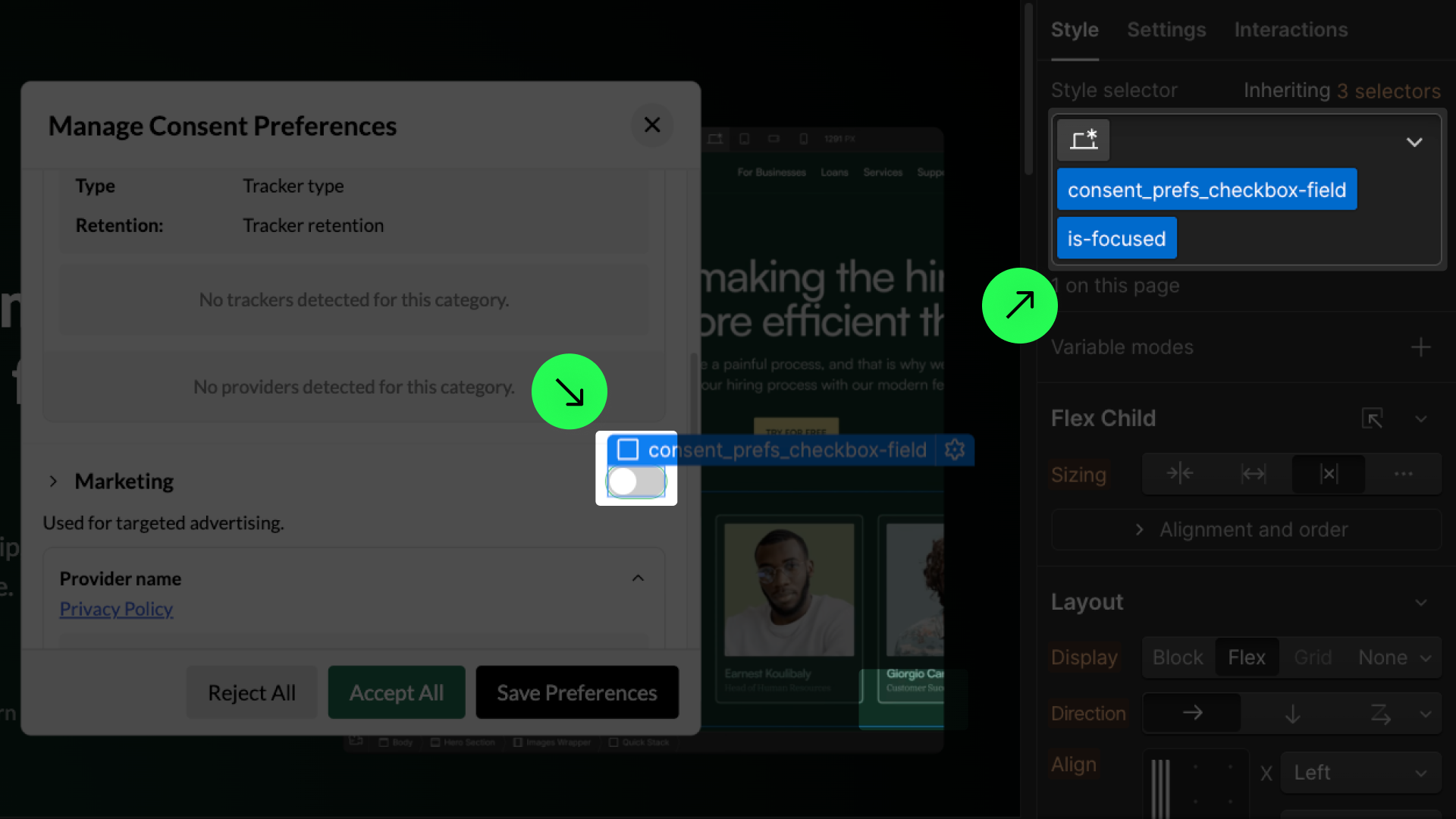
You can do the same to style the is-focused state when a visitor selects the checkbox using a keyboard for accessibility.
Translate your banner
Create a great user experience by translating your banners and showing different banners based on your visitors' regions. Consent Pro works perfectly integrated with the most widely used Webflow translation tools.
Using Webflow Localization
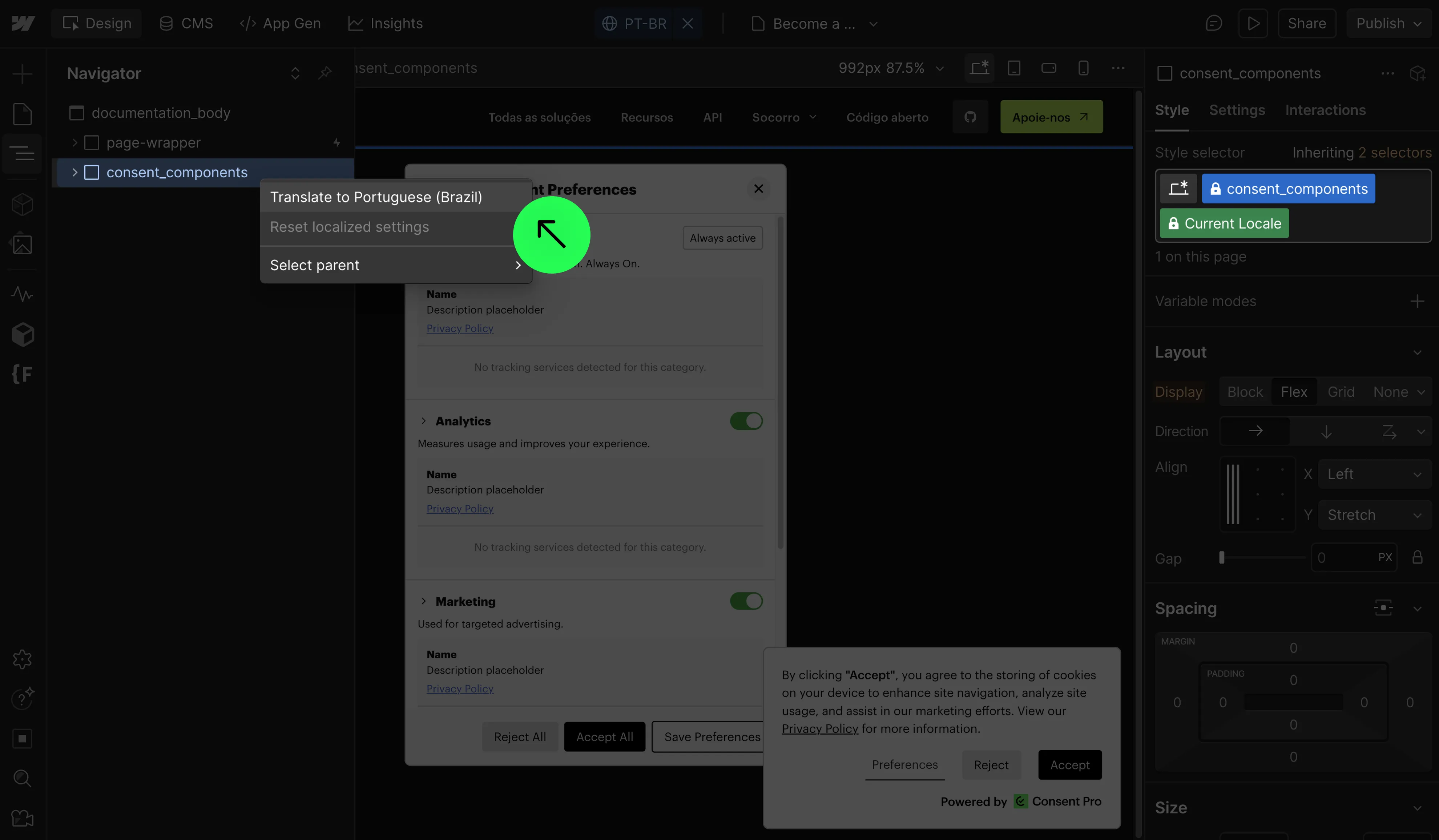
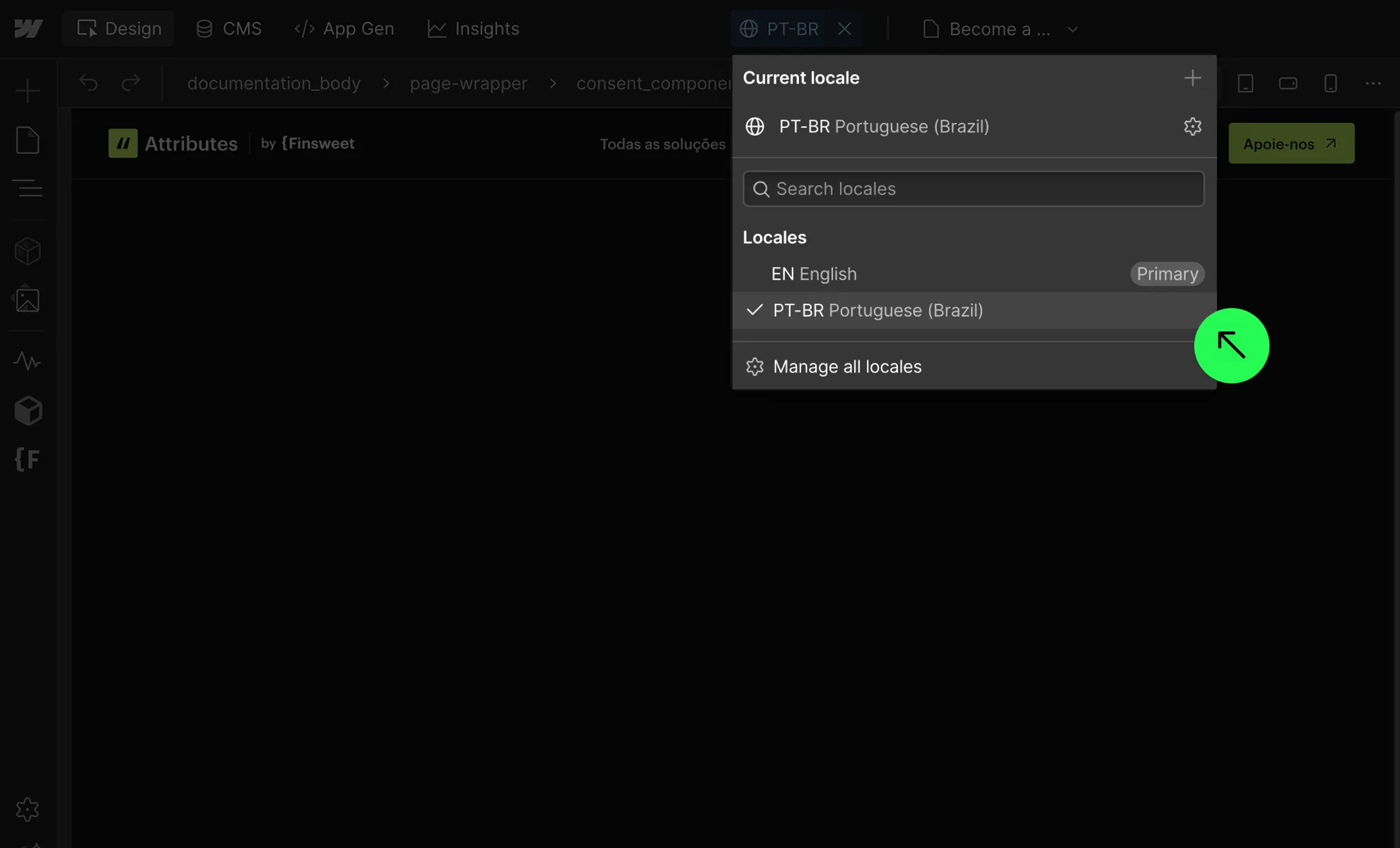
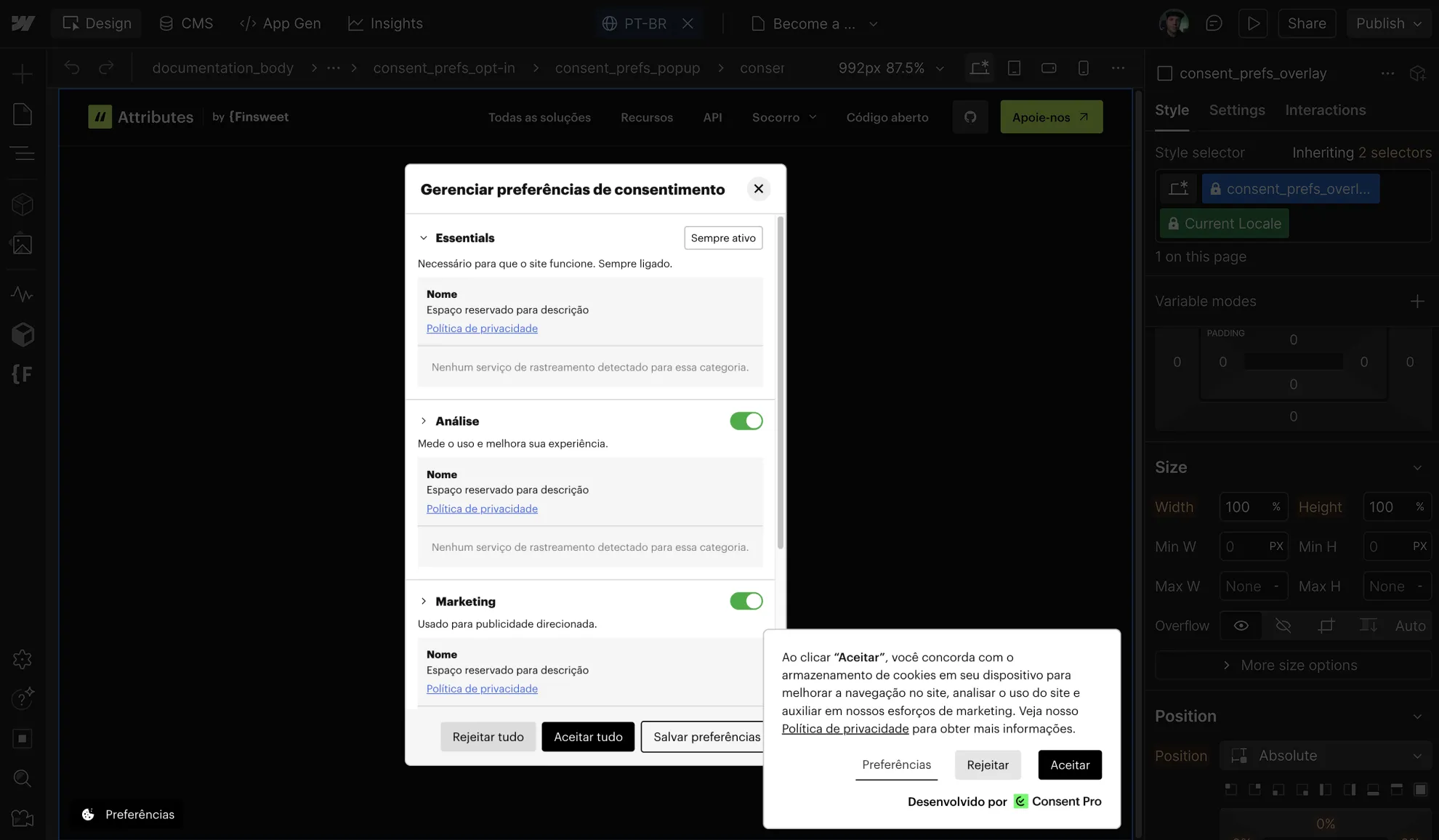
Consent Pro works fully integrated with Webflow Localization to translate the banners and preferences panel. Do your setup as usual, translate the banners using locales, and it will work out of the box.
Using Weglot
The Consent Pro banners are dynamic content that changes based on user interactions or real-time updates. To translate your banner using Weglot, add the Consent Pro component as a dynamic element, as explained in this Weglot tutorial.
.png)
Open preferences trigger
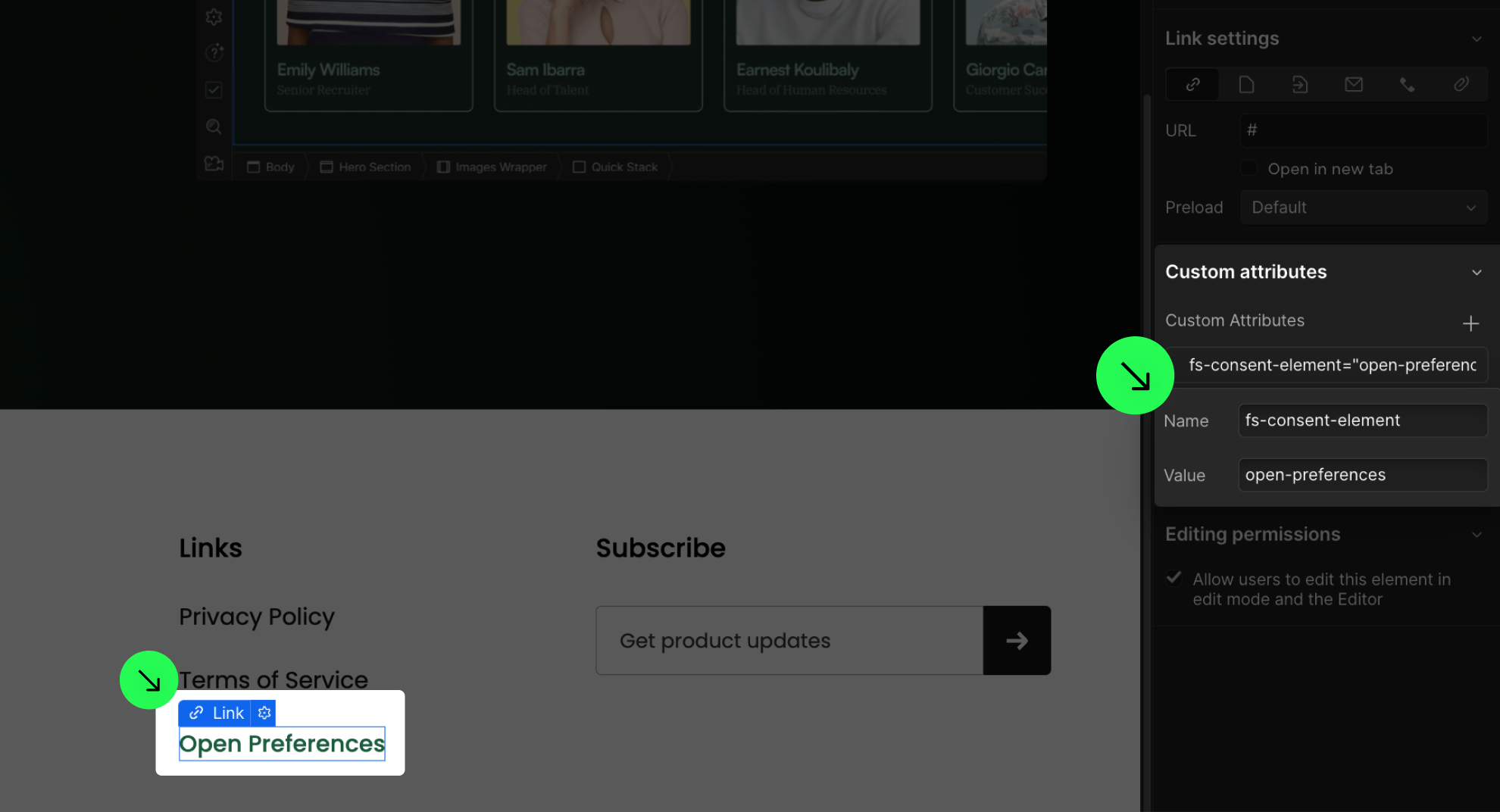
Add the attribute fs-consent-element="open-preferences" to any element to make it a trigger that opens the preferences panel. This is often added to a link in the footer so users can access their preferences from any page of the website.
Change category names
In case you want to change the names of the categories in the UI that users interact with, feel free to update the text in the preferences panel. For example, you can change "analytics" to "statistics", "marketing" to "advertising", or "essential" to "strictly necessary".
.png)
Google Tag Manager setup
Learn how to use Consent Pro with Google Tag Manager and Google Consent Mode v2 by following the How to Set Up Google Tag Manager documentation.
.png)
Storing consents
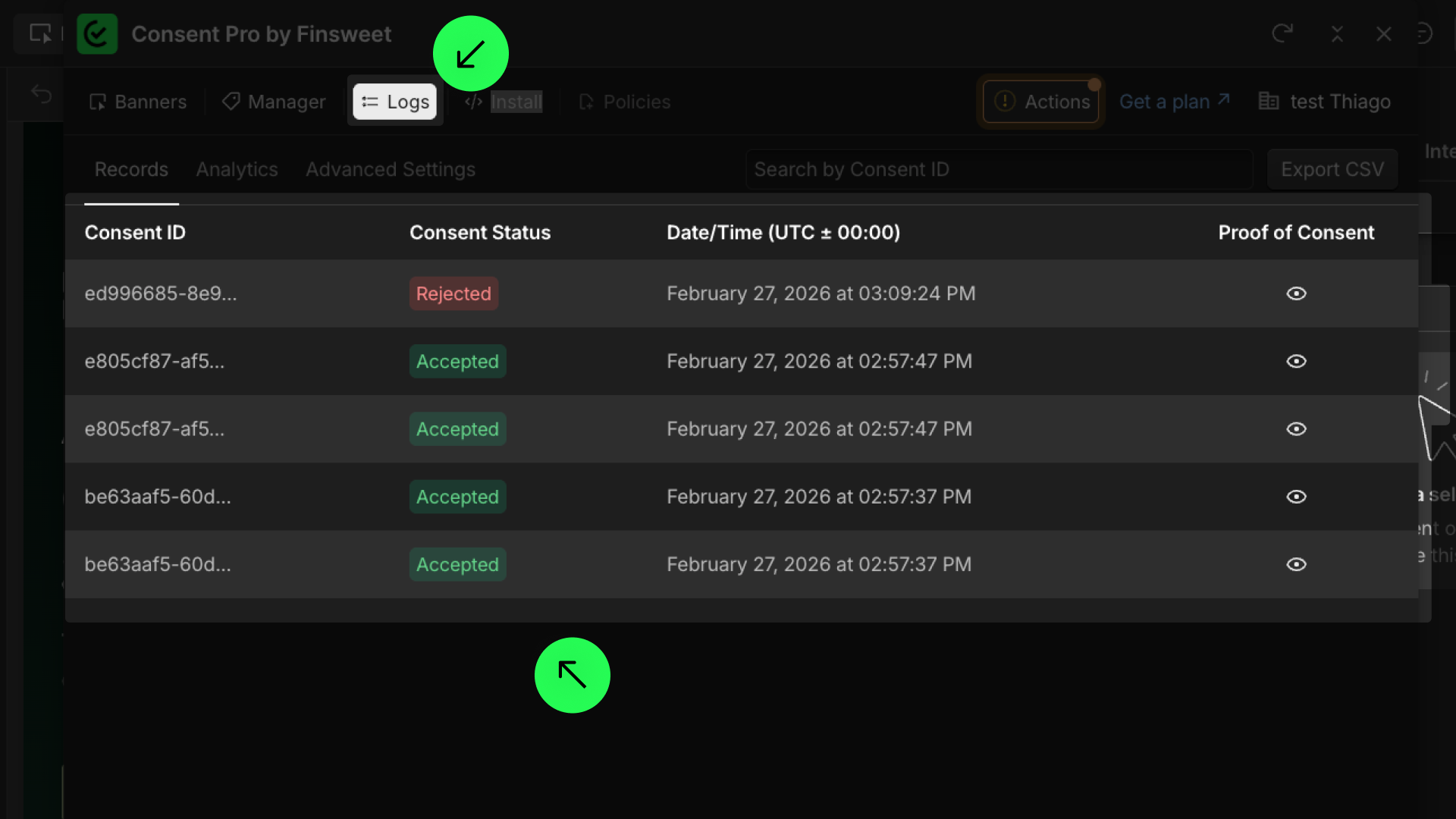
Our solution automatically stores consents. Go to Logs and Records to see all your visitors' consents. You can also get more insights in the Analytics tab if you have a Consent Pro Premium plan. If you want to save an additional local copy, check the Store Consents in Your Database documentation.
Webflow Analyze & Optimize integration
If you are using Webflow Optimize or Analyze, please go to Settings > Tracking and select "Do not track by default." Our solution will handle it if we need to block or allow data collection based on the user's preferences.
.png)
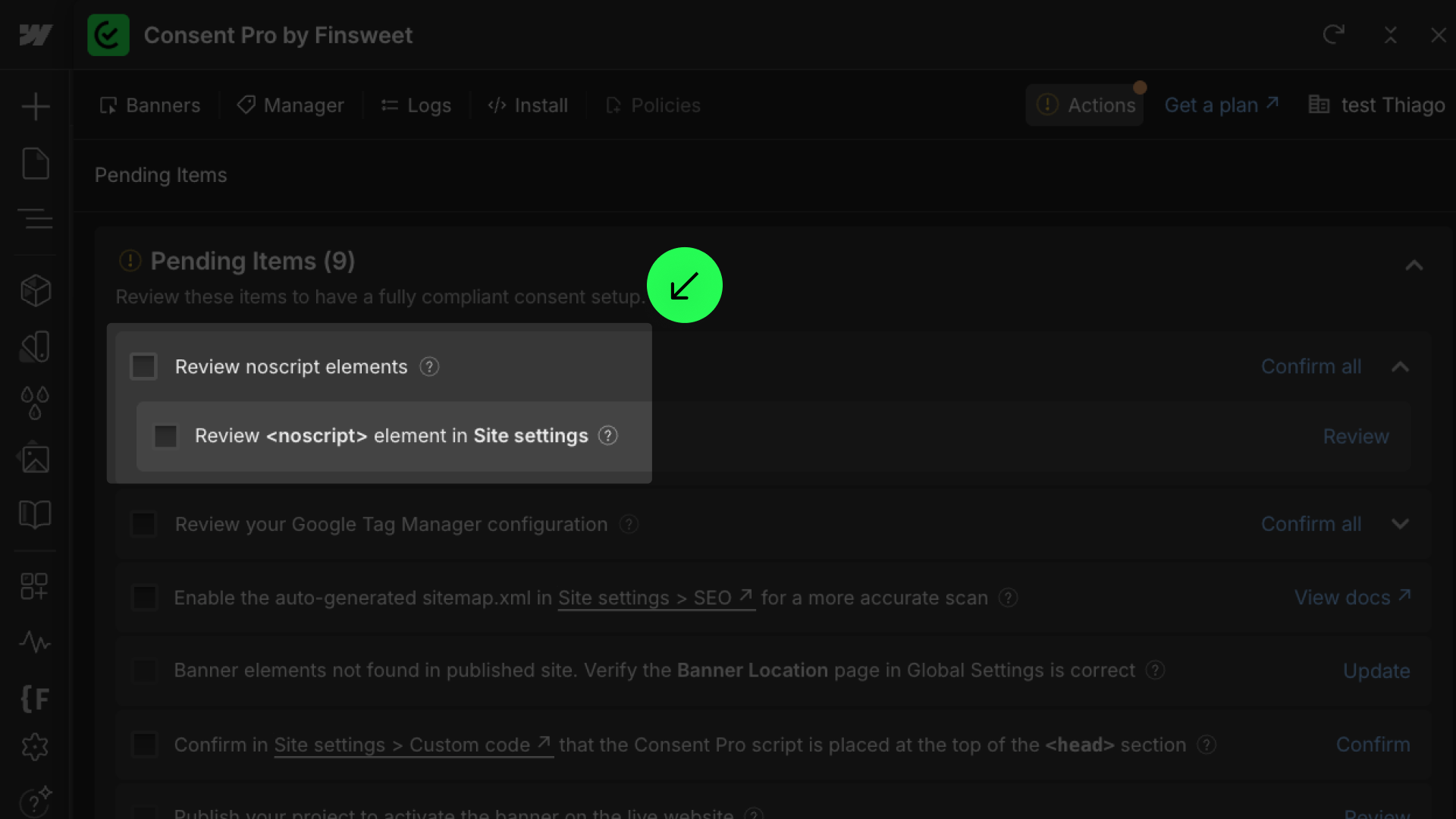
Remove <noscript> tags
The <noscript> tags run even if JavaScript is disabled. This undermines the purpose of Consent Pro and data privacy compliance by potentially allowing the collection of user data without proper consent. It is required to remove some <noscript> tags from your website, as indicated in the Actions tab.
Do not worry, we will only recommend removing <noscript> tags that trigger trackers and do not break the functionality of your website
Optimize speed with async
All cookie consent solutions affect performance in some way. If you still want to improve performance and use async loading to minimize the impact, check how to use Async Script Loading.
.png)
Exported websites
Consent Pro works on Webflow exported websites. Just make sure you have all the prerequisites below for it to work properly.
.png)
Prerequisites:
- You have added your banners inside Webflow.
- You have scanned your site, labeled all trackers, and addressed all required action items.
- You have installed the Consent Pro script at the top of the custom code
<head>section. - You have a license configured for Consent Pro for your custom domain.
In summary, your setup should be complete and show the success message: "You are all set".
.png)
Legal disclaimer
Check out our Legal Agreements and Policies for Products and Services and User Responsibility for Compliance and Security.