

Store Consents in Your Database
Using an external database to store consent records is optional. Our system already stores a copy of all consent records by default — you can view them at any time in the Logs & Records section of the app.
If you would like to keep an additional copy of these consent logs in your own external database, you are free to choose the database that best suits your needs. The only requirement is that your database provides an endpoint URL that can receive an HTTP POST request with the consent log data.
Consent Log Schema
Each consent log posted to your endpoint follows this TypeScript type:
type ConsentRecord = {
  id: string; // The consent record ID
  url: string; // The URL of the page where consent was given
  action: 'accept_all' | 'reject_all' | 'submit' | 'preferences'; // The action taken by the user
  userAgent: string; // The user agent string of the browser
  bannerText?: string; // The text shown in the consent banner
  consents: {
    // The user's consent choices
    essential: boolean;
    analytics: boolean;
    marketing: boolean;
    personalization: boolean;
  };
};
Once you have set up your database and obtained an endpoint URL, paste it in Logs > Advanced Settings > Store Consents and click Save.
Using Cloudflare (Example)
We use Cloudflare Workers and KV storage internally to store consent logs. If you would like to use the same platform, follow the steps below.
1. Create a Cloudflare account or log in to an existing one
Go to cloudflare.com to access your account or create a new one.
.png)
2. Create a new 'Worker'
Go to 'Compute & AI' > 'Workers & Pages' > 'Create application**.**
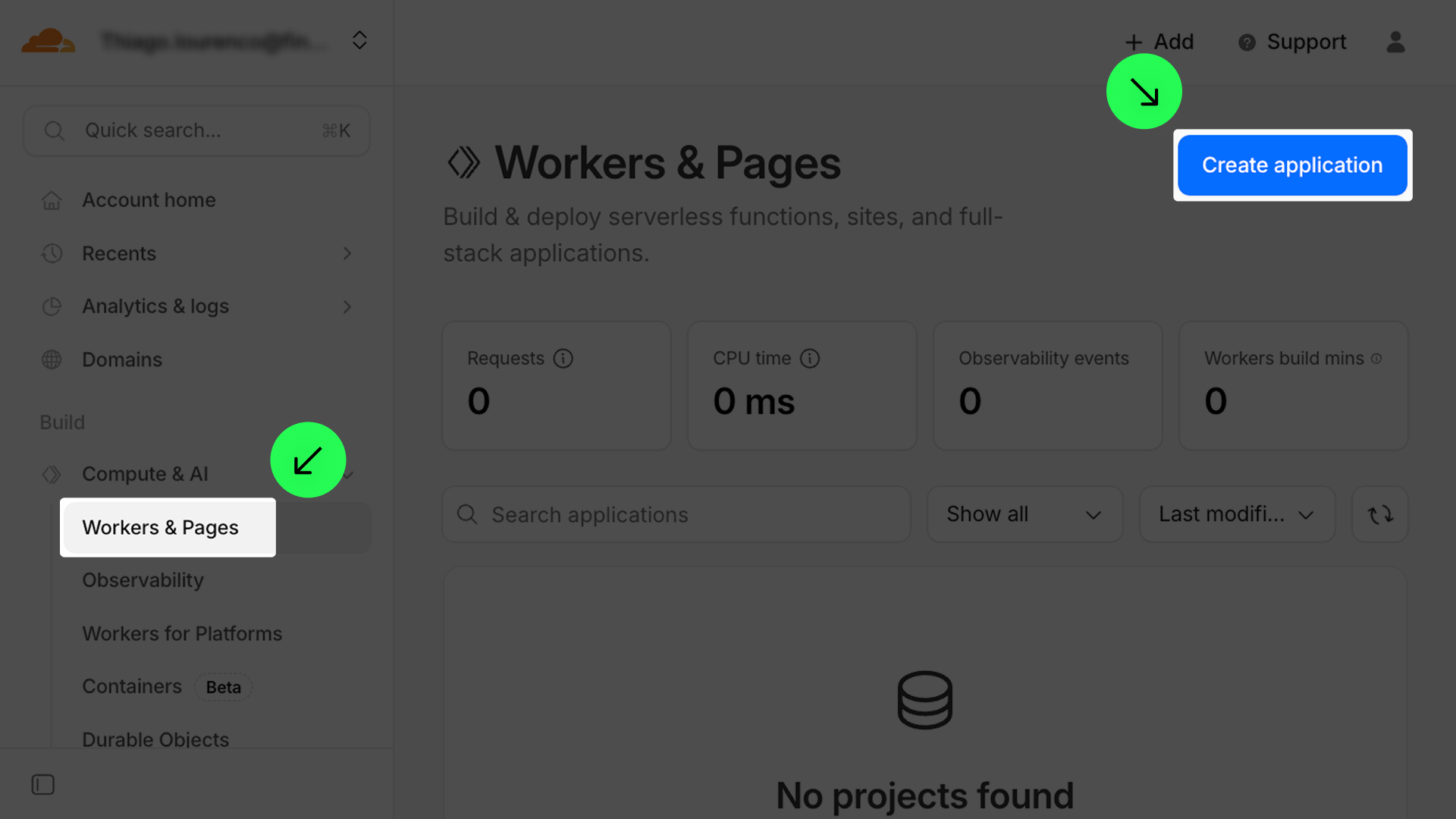
Go to 'Compute & AI' > 'Workers & Pages' > 'Start with Hello World'.
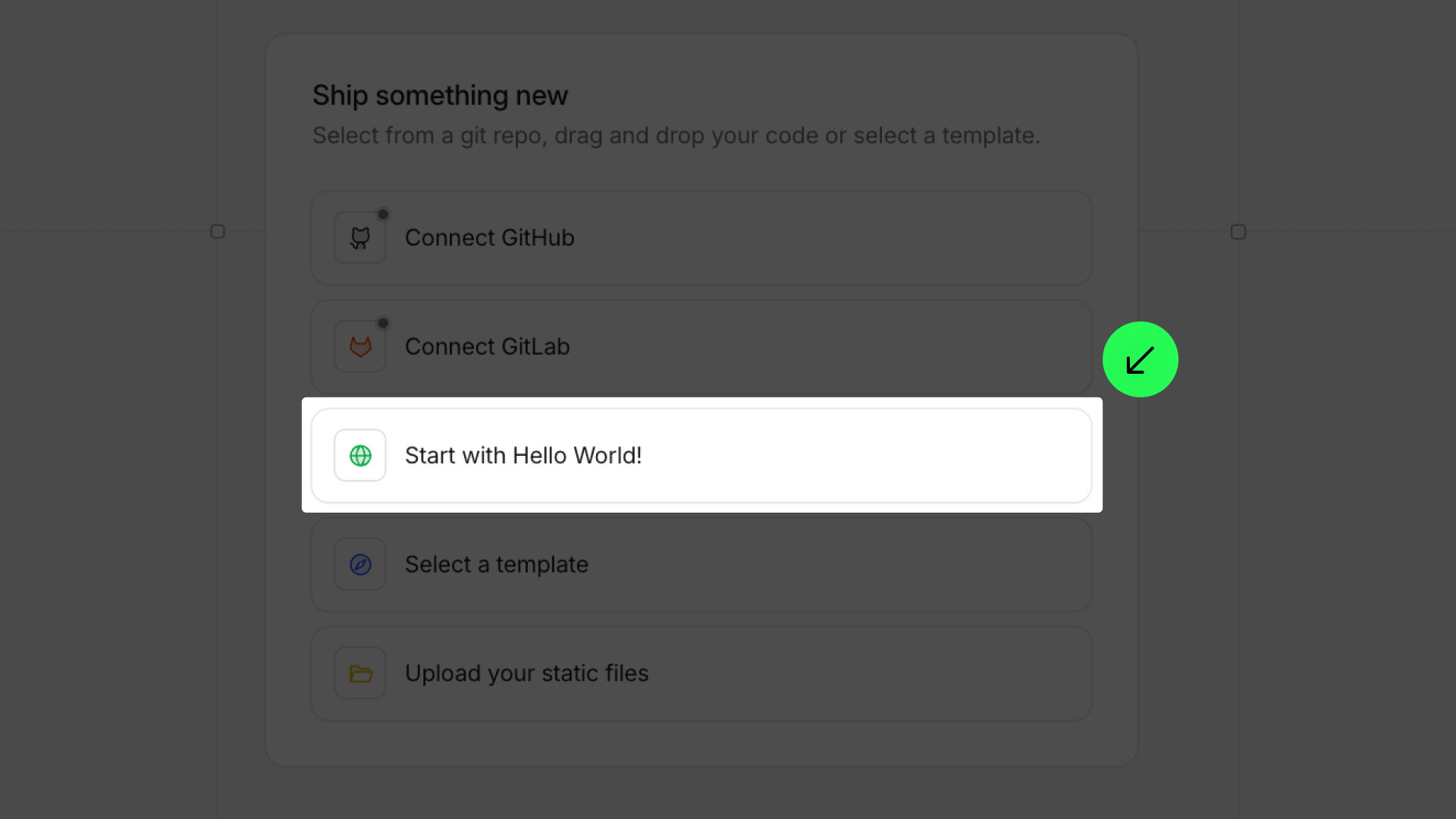
Name your worker and confirm.
.png)
3. Edit the code
Click on 'Edit code'.
.png)
Remove the placeholder code.
.png)
Insert the code below:
!function(e){var t={};function n(r){if(t[r])return t[r].exports;var o=t[r]={i:r,l:!1,exports:{}};return e[r].call(o.exports,o,o.exports,n),o.l=!0,o.exports}n.m=e,n.c=t,n.d=function(e,t,r){n.o(e,t)||Object.defineProperty(e,t,{enumerable:!0,get:r})},n.r=function(e){"undefined"!=typeof Symbol&&Symbol.toStringTag&&Object.defineProperty(e,Symbol.toStringTag,{value:"Module"}),Object.defineProperty(e,"__esModule",{value:!0})},n.t=function(e,t){if(1&t&&(e=n(e)),8&t)return e;if(4&t&&"object"==typeof e&&e&&e.__esModule)return e;var r=Object.create(null);if(n.r(r),Object.defineProperty(r,"default",{enumerable:!0,value:e}),2&t&&"string"!=typeof e)for(var o in e)n.d(r,o,function(t){return e[t]}.bind(null,o));return r},n.n=function(e){var t=e&&e.__esModule?function(){return e.default}:function(){return e};return n.d(t,"a",t),t},n.o=function(e,t){return Object.prototype.hasOwnProperty.call(e,t)},n.p="",n(n.s=1)}([function(e,t,n){"use strict";Object.defineProperty(t,"__esModule",{value:!0}),t.corsHeaders=void 0,t.corsHeaders={"Access-Control-Allow-Origin":"*","Access-Control-Allow-Methods":"GET,HEAD,POST,OPTIONS","Access-Control-Allow-Headers":"Content-Type","Access-Control-Allow-Credentials":"true","Access-Control-Max-Age":"86400"}},function(e,t,n){"use strict";Object.defineProperty(t,"__esModule",{value:!0});const r=n(2);addEventListener("fetch",e=>{e.respondWith(r.handleRequest(e.request))})},function(e,t,n){"use strict";var r=this&&this.__importDefault||function(e){return e&&e.__esModule?e:{default:e}};Object.defineProperty(t,"__esModule",{value:!0}),t.handleRequest=void 0;const o=n(3),s=n(4),u=r(n(5)),l=o.Router();l.post("/",u.default),l.options("*",s.handleOptions),l.get("*",()=>new Response("Not found",{status:404})),t.handleRequest=e=>l.handle(e)},function(e,t){e.exports={Router:(e={})=>new Proxy(e,{get:(t,n,r)=>"handle"===n?async(n,...r)=>{for([p,hs]of[t.all||[],t[(n.method||"GET").toLowerCase()]||[]].flat())if(m=(u=new URL(n.url)).pathname.match(p))for(h of(n.params=m.groups,n.query=Object.fromEntries(u.searchParams.entries()),hs))if(void 0!==(s=await h(n,...r)))return s;if(e.else)return e.else(n,...r)}:(o,...s)=>(t[n]=t[n]||[]).push([`^${(e.base||"")+o.replace(/(\/?)\*/g,"($1.*)?").replace(/\/$/,"").replace(/:([^\/\?\.]+)(\?)?/g,"$2(?<$1>[^/.]+)$2")}/*$`,s])&&r})}},function(e,t,n){"use strict";Object.defineProperty(t,"__esModule",{value:!0}),t.handleOptions=void 0;const r=n(0);t.handleOptions=e=>{const t=e.headers,n=t.get("Origin"),o=t.get("Access-Control-Request-Method"),s=t.get("Access-Control-Request-Headers");if(null!==n&&null!==o&&null!==s){const e=new Headers({...r.corsHeaders,"Access-Control-Allow-Headers":s});return new Response(null,{headers:e})}return new Response(null,{headers:{Allow:"GET, HEAD, POST, OPTIONS"}})}},function(e,t,n){"use strict";Object.defineProperty(t,"__esModule",{value:!0});const r=n(0);t.default=async e=>{const{id:t,action:n,url:o,userAgent:s,consents:u,bannerText:l}=await e.json();if(!(t&&n&&o&&s&&u&&l))return new Response("Some parameter is missing",{status:400,headers:r.corsHeaders});const a=(new Date).toISOString(),c=[n,(e.headers.get("x-real-ip")||"").replace(/\d*$/,"0"),a,o,s,Object.entries(u).reduce((e,[t,n])=>(n&&e.push(t),e),[]).join(","),l].join(";");await CONSENTS.put(t,c);const i={...r.corsHeaders,"Content-type":"application/json"};return new Response(c,{status:200,headers:i})}}]);Click on 'Deploy' and Confirm.

4. Create a 'KV'
Go to 'Storage & Databases' > 'Workers KV' > 'Create instance'.
.png)
Name your namespace and click on 'Create'.

5. Bind the 'Worker' with the 'KV'
Go to 'Workers & Pages' > 'Overview' and select the worker you created.
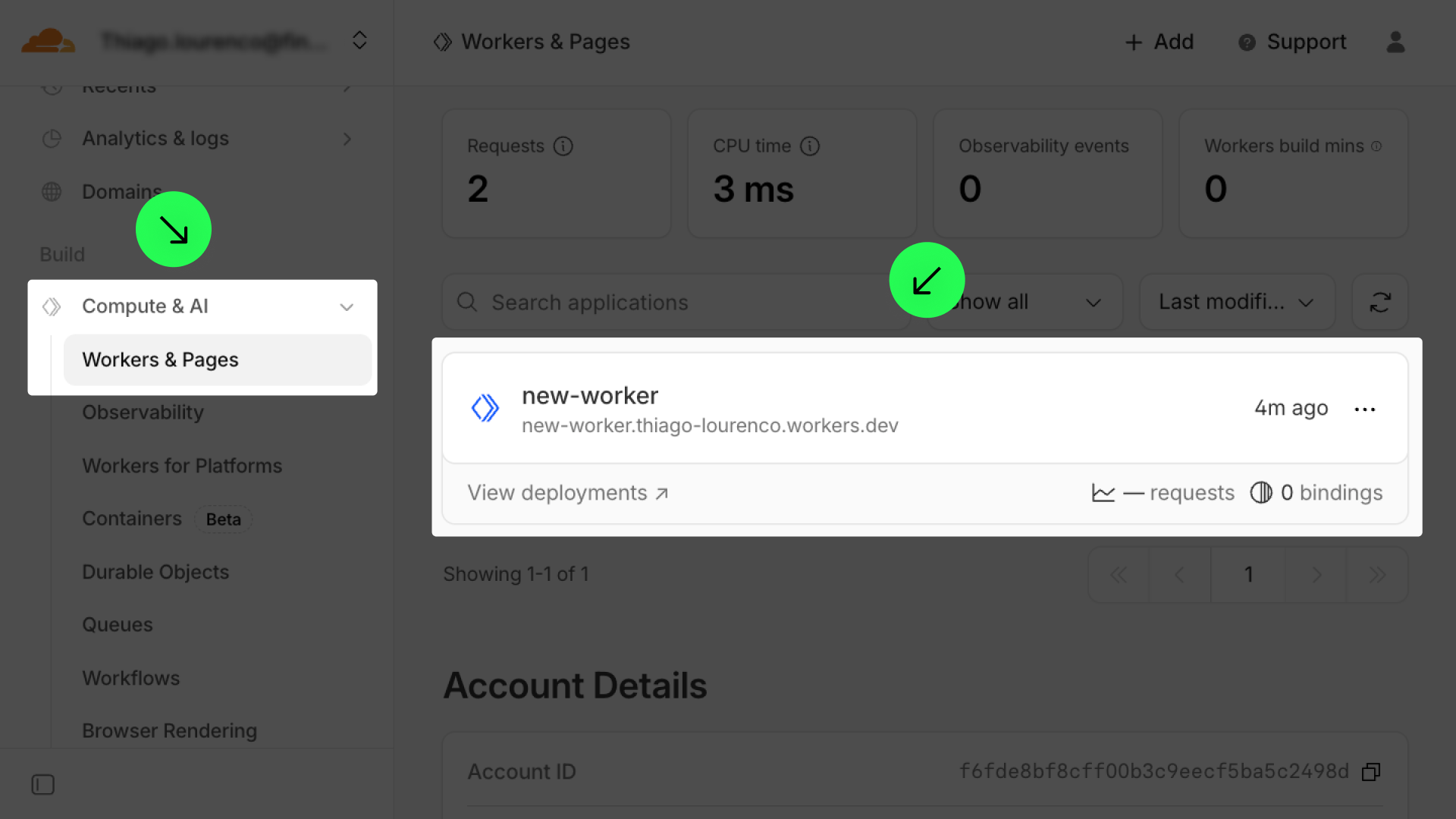
Go to 'Bindings' and click on 'Add binding'.

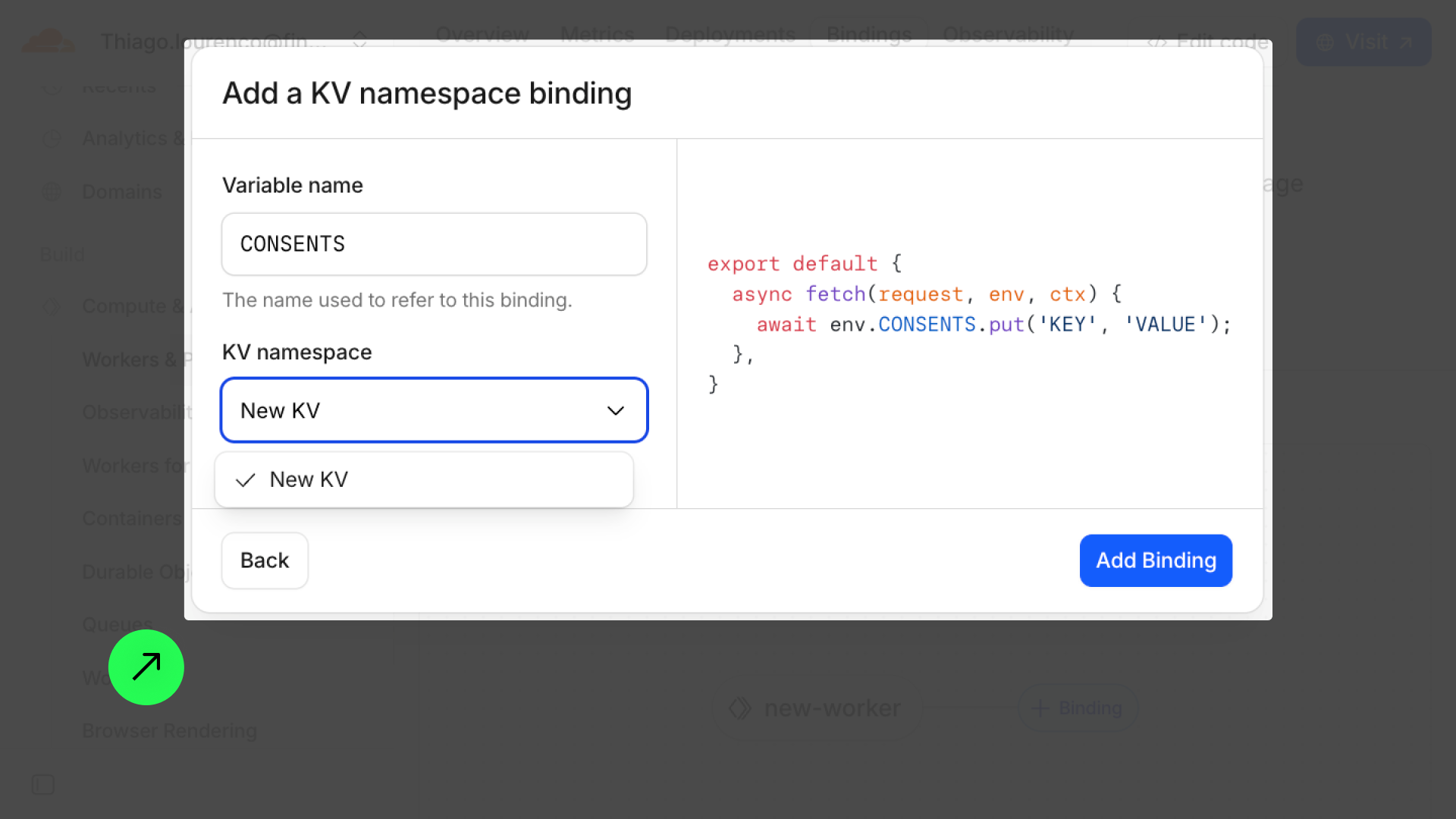
Go to 'Kv namespace' and click on 'Add binding'.
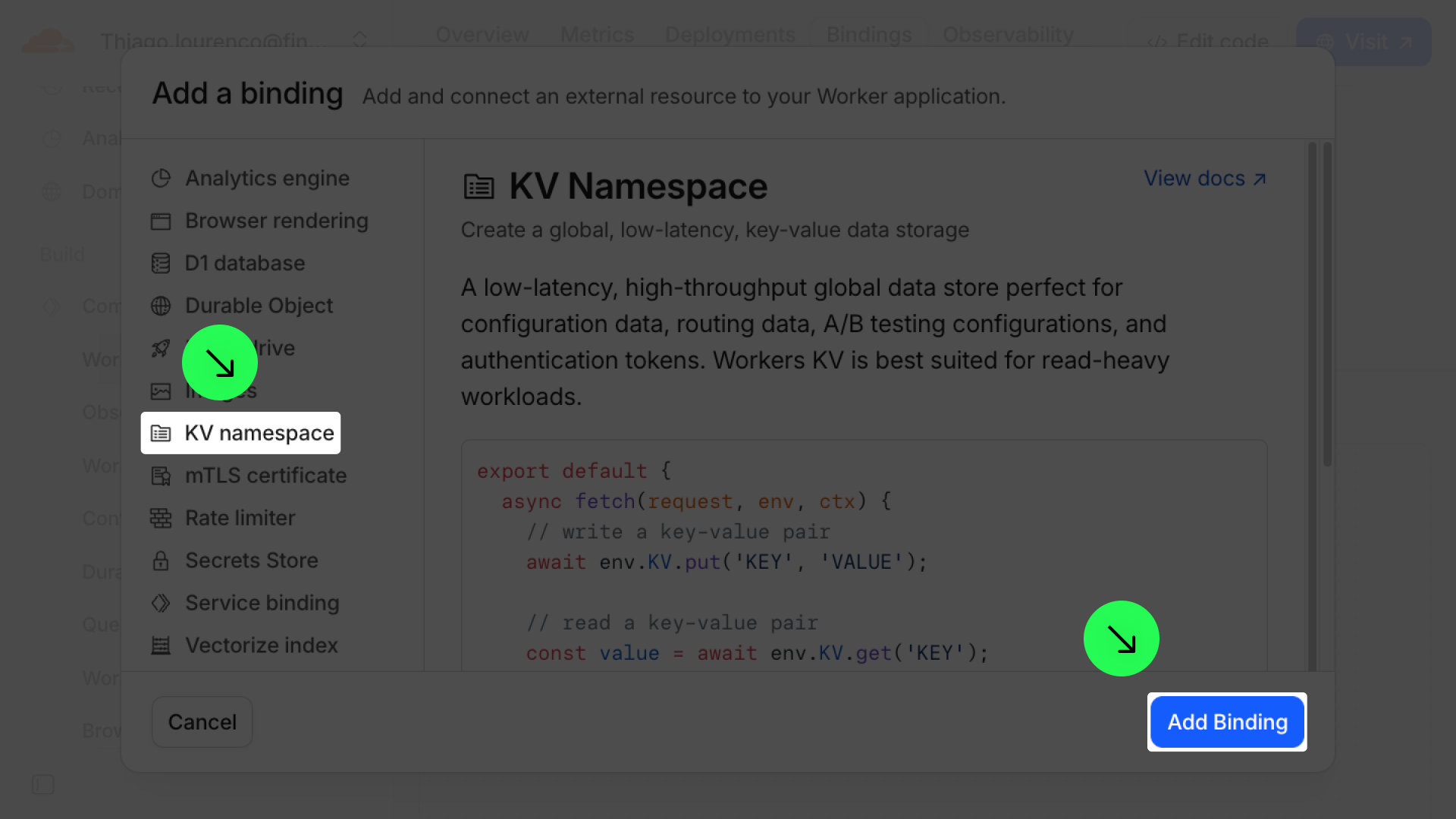
Add variable name 'CONSENTS', connect your Variable name and click on 'Add Binding'.
⚠️ The variable 'CONSENTS' is case-sensitive. Make sure to use the variable name exactly as 'CONSENTS' in uppercase. Other variations, such as 'Consents' or 'consents', will not work.
6. Add the endpoint
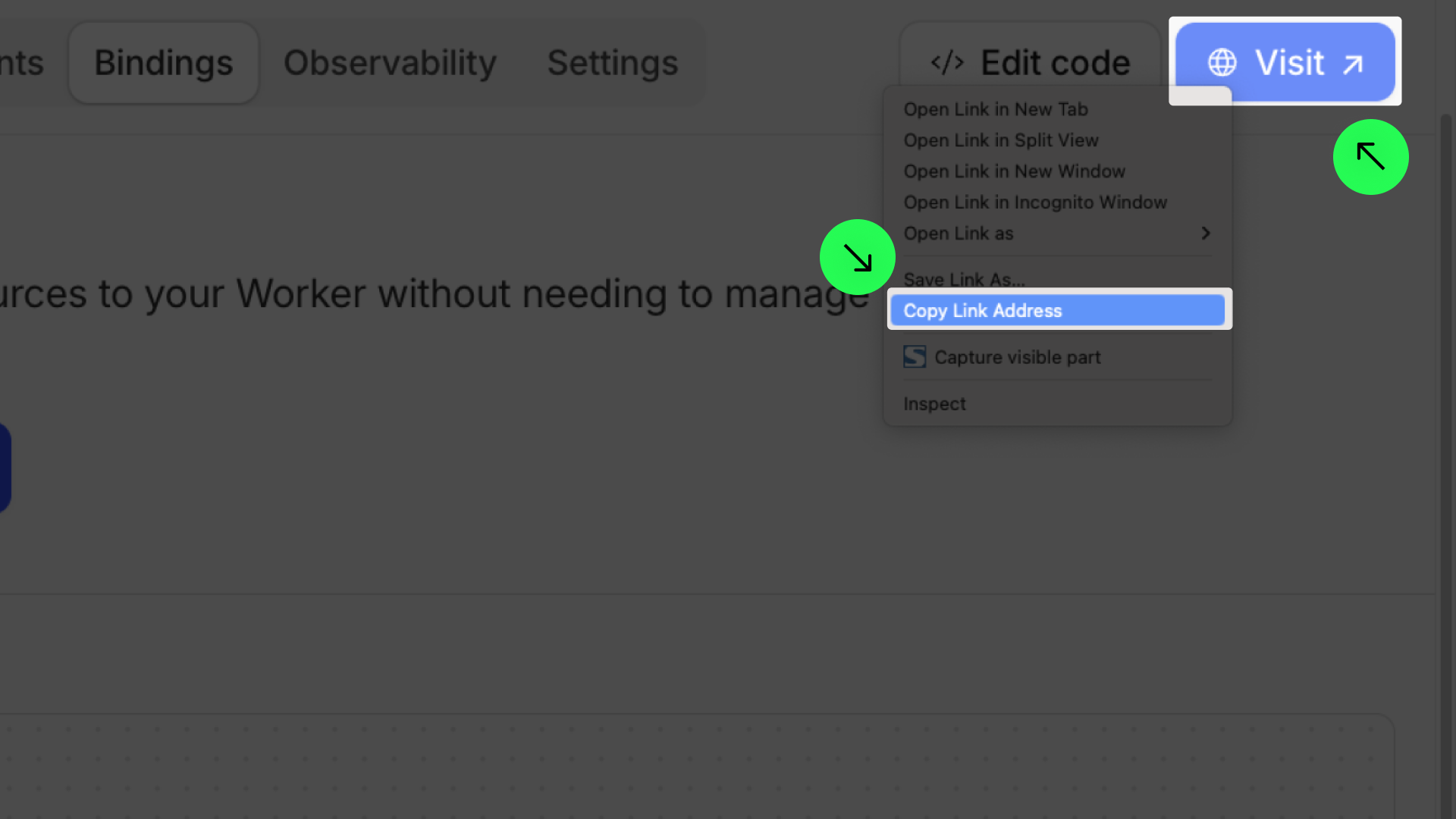
Right click on 'Visit' link and click on 'Copy Link Address' to get the endpoint URL.
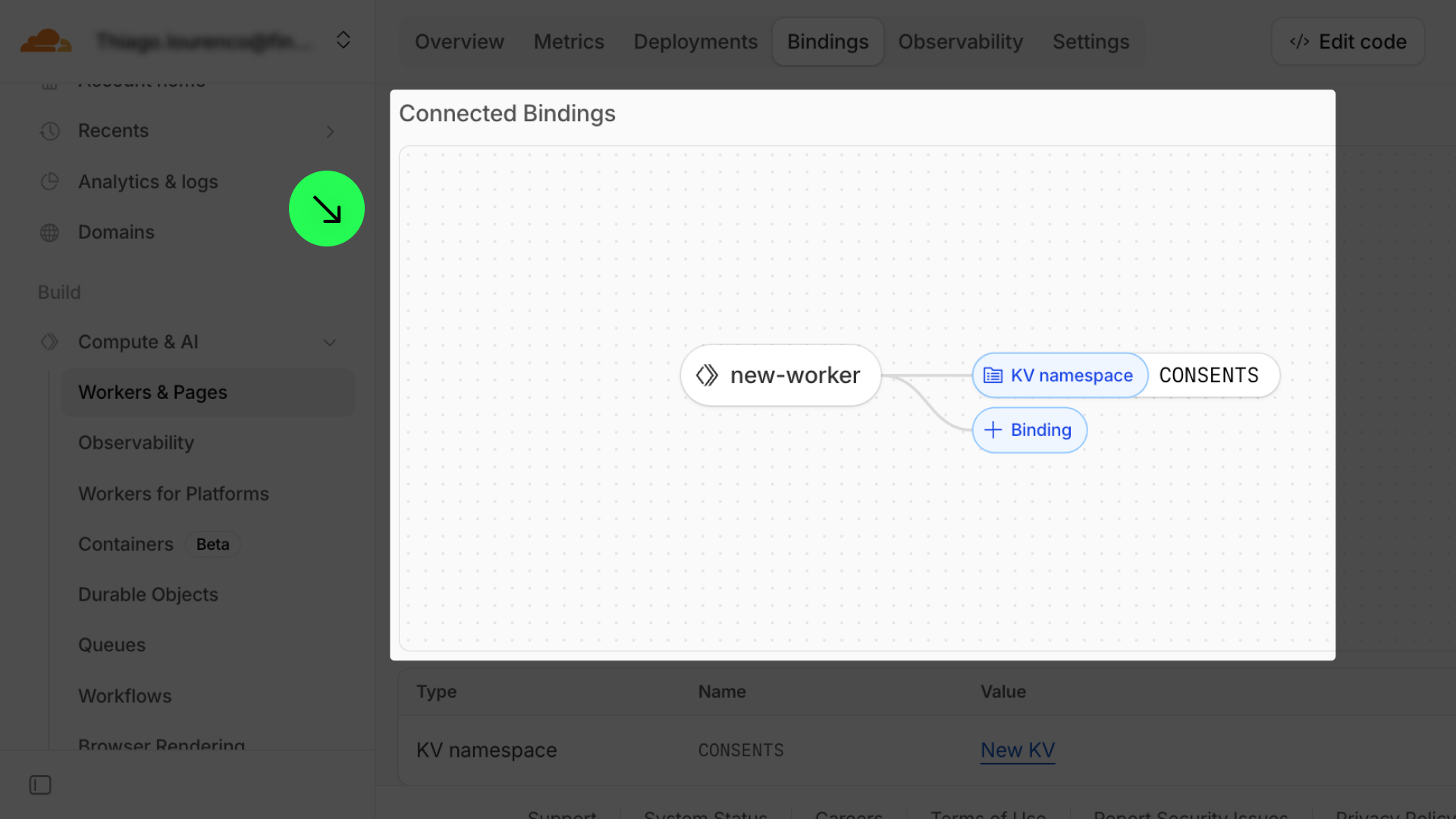
Paste the URL endpoint in Logs > Advanced Settings > Store Consents and click ‘Save’.
.png)