

Custom Integration
This guide explains how to read and update the Consent Pro consent state (fs-consent cookie) from a non-Webflow site that shares the same root domain as your Webflow site. For example:
www.example.com(Webflow with Consent Pro) +app.example.com(custom app)blog.example.com(Webflow with Consent Pro) +example.com(custom app)
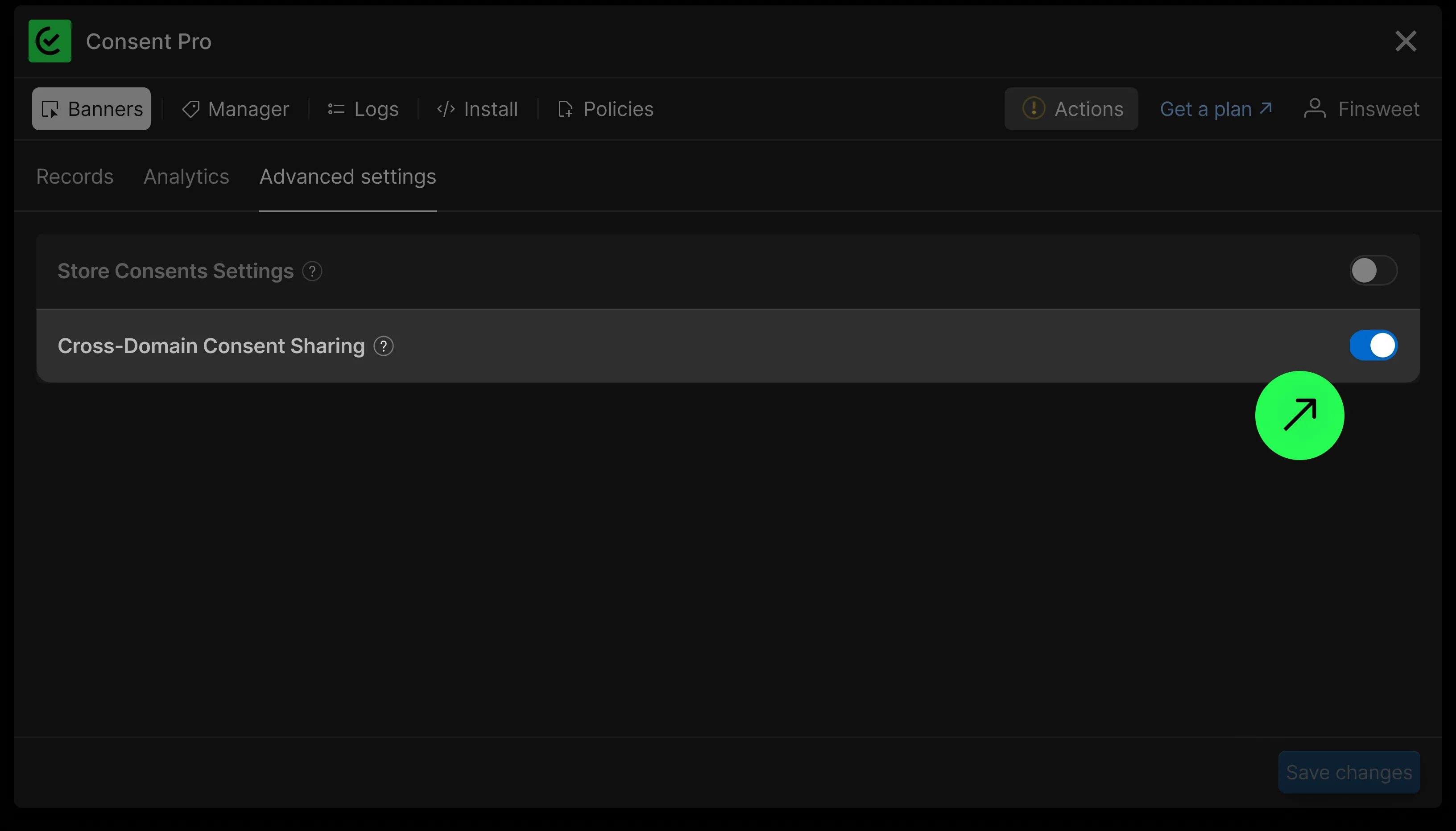
As long as both sites share the same root domain, the fs-consent cookie is automatically shared between them. Consent Pro sets the cookie on the root domain (e.g., .example.com) by default via the Cross-Domain Consent Sharing toggle in Logs > Advanced Settings.
Cookie Format
The fs-consent cookie stores a URL-encoded JSON string with the following structure:
type StoredData = {
  id: string; // UUIDv4 — unique identifier for this consent record
  choices: {
    essential: boolean; // Always true
    analytics: boolean;
    marketing: boolean;
    personalization: boolean;
  };
  timestamp: number; // Unix timestamp in milliseconds
};
Example decoded value:
{
  "id": "03d978d9-2718-479f-83d9-8bc955cddbd9",
  "choices": {
    "essential": true,
    "analytics": true,
    "marketing": false,
    "personalization": false
  },
  "timestamp": 1776242805254
}
Reading Consent State
function getConsent() {
  var raw = document.cookie.split('; ').find(function (c) {
    return c.startsWith('fs-consent=');
  });

  if (!raw) return null;

  try {
    var value = decodeURIComponent(raw.split('=').slice(1).join('='));
    return JSON.parse(value);
  } catch (e) {
    return null;
  }
}

// Usage
var consent = getConsent();

if (!consent) {
  // No consent given yet — treat as no consent
  // Block analytics, marketing, and personalization features
} else if (consent.choices.analytics) {
  // Analytics is allowed — initialize tracking
}
Updating Consent State
To update consent from your non-Webflow site, write the cookie with matching attributes:
function setConsent(choices) {
  var data = {
    id: crypto.randomUUID(),
    choices: {
      essential: true,
      analytics: Boolean(choices.analytics),
      marketing: Boolean(choices.marketing),
      personalization: Boolean(choices.personalization),
    },
    timestamp: Date.now(),
  };

  var encoded = encodeURIComponent(JSON.stringify(data));

  document.cookie =
    'fs-consent=' + encoded + '; path=/; domain=.example.com; max-age=' + 365 * 86400 + '; SameSite=Lax; Secure';
}

// Example: user opts into analytics only
setConsent({
  analytics: true,
  marketing: false,
  personalization: false,
});
Replace .example.com with your actual root domain (including the leading dot).
WARNING
The domain and path must match what Consent Pro uses. If either differs, the browser will store a separate fs-consent cookie with the same name, leading to unexpected behavior.
Consent Pro uses these cookie defaults:
path—/domain—.yourdomain.com(root domain with leading dot)expires—365daysSameSite—LaxSecure—true
Handling No-Consent State
When the fs-consent cookie does not exist, the user has not yet interacted with the consent banner.
- Do not create the cookie with default values — let the user interact with the Consent Pro banner on your Webflow site first.
- The correct default behavior depends on your Consent Pro banner type:
- Opt-in — block analytics, marketing, and personalization until the user opts in.
- Opt-out or Informational — some categories may be allowed by default even when the cookie is absent. Match the defaults your Consent Pro instance applies.
var consent = getConsent();

if (!consent) {
  // No cookie yet — apply defaults matching your banner type
} else if (consent.choices.analytics) {
  // Safe to load analytics
} else {
  // Do not initialize analytics
}
Limitations
Consent logs are not recorded
When you update the fs-consent cookie directly from your non-Webflow site, the change is not synced to Consent Pro's servers. This means:
- The update will not appear in Logs in the Consent Pro app.
- No consent proof is stored for changes made outside the Consent Pro runtime.
Only consent changes made through the Consent Pro banner or JavaScript API on your Webflow site are logged.
No runtime API available
The window.FinsweetConsentPro API is only available on pages where the Consent Pro script is loaded (your Webflow site). On your non-Webflow site, direct cookie access is the only option.